

✨ 5 New Tools Worth Trying
For gorgeous documents, AI visuals, and easier calendaring

2026 is already overflowing with new and improved sites and services. In today’s post I’m sharing five I’ve tested and found particularly useful.
Leave a comment below with one of your favorite new finds.
Kraa — Make Gorgeous Documents
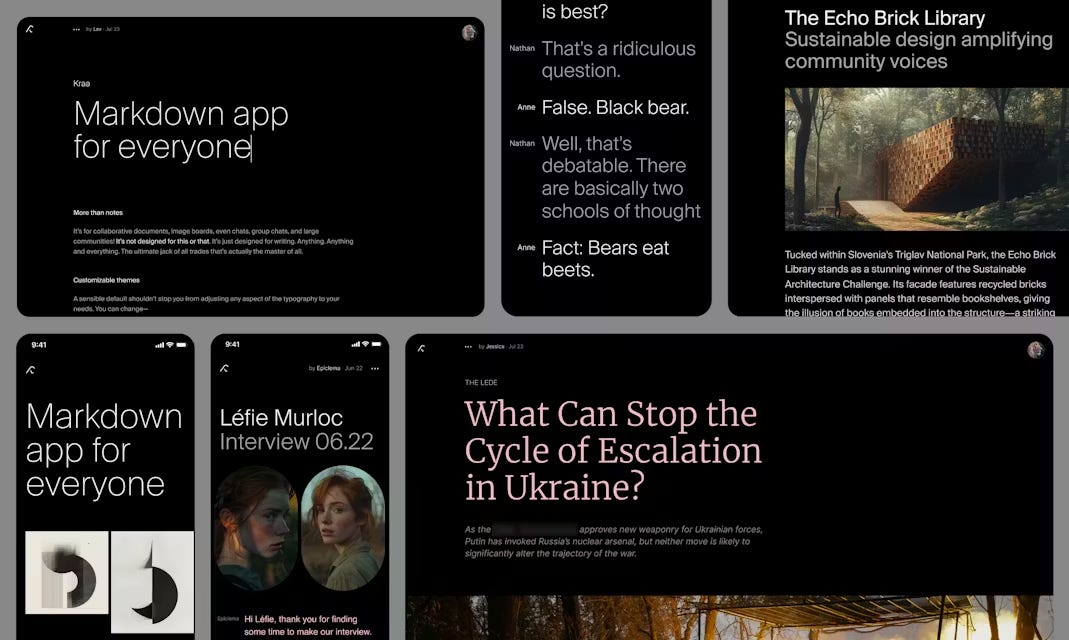
I love minimalist tools like the free Kraa, a wonderful new digital writing surface. I’ve started experimenting with creating quick, simple pages, which Kraa calls “leaves.”
The example pages shared by Kraa’s founding team will give you a feel for it:
A news story with an image gallery, pull quotes, and comments
A blog post with images, quotes, and comments
A portfolio or brand page with big images and less text
A welcome page about Kraa that I’ve customized a bit. I added a chat at the bottom so you can try it out and add your own comment about Kraa.
Ideas for using Kraa
Make a travel page to share pictures and stories from a trip. Benefit: Easier than creating a whole Wordpress site, and much prettier than a Google or Word Doc.
Create an impromptu, elegant, free live running chat for a meeting or event, like the Kraa team’s public chat page. Benefit: Faster, freer, easier, and more elegant than other tools for creating a running chat page.
Write a manifesto or blog post about something you care about. Benefit: Get more design flexibility than you would with Wordpress, Craft, or Medium.
Leonardo AI Blueprints — A Shortcut for AI Visuals
Sophisticated image editing with AI usually requires careful prompting. What I like about Leonardo AI’s new Blueprints feature is that you can just upload an image and pick from dozens of styles, without knowing what words to use in a prompt. You can transform boring or sloppy headshots into creative images. Here’s an experiment with one of my headshots, and another.

Leonardo, now owned by Canva, also has lots of other useful features.
The platform hosts multiple AI image and video generators, including Flux, Gemini, Ideogram, and Sora.
Flow State lets you type in a prompt and pick from dozens of resulting AI visuals. If you see one you like, you can select “more like this.”
Upscaler enhances images’ resolution and size, which is useful if you’re printing pictures or showing them on a big screen.
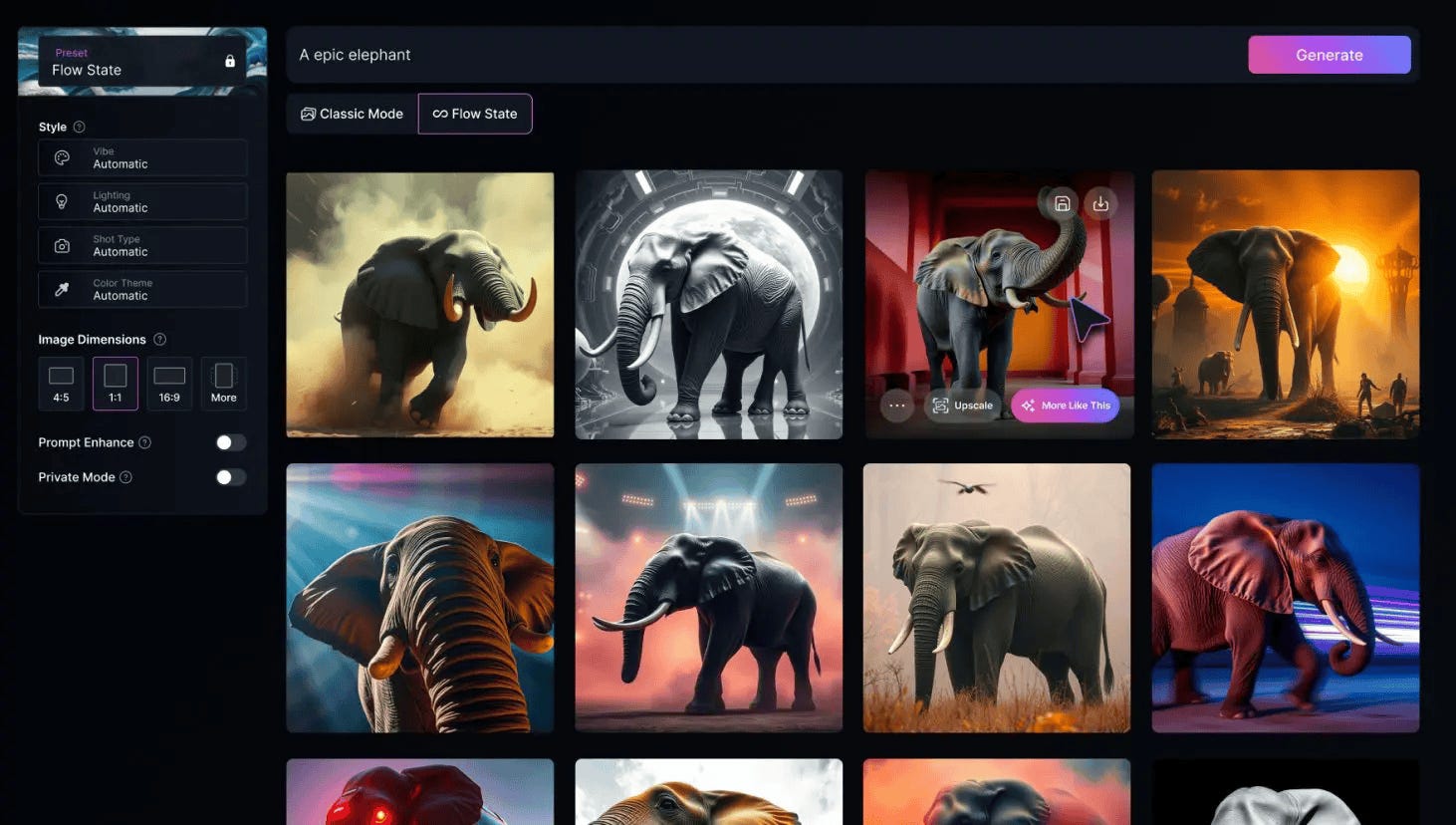
Pricing: Free for up to 150 fast image creations a day. $10/month billed annually for more images, private images, better AI models, and other pro features.
YouTube to NotebookLM: Import a Whole Playlist or Channel in One Click
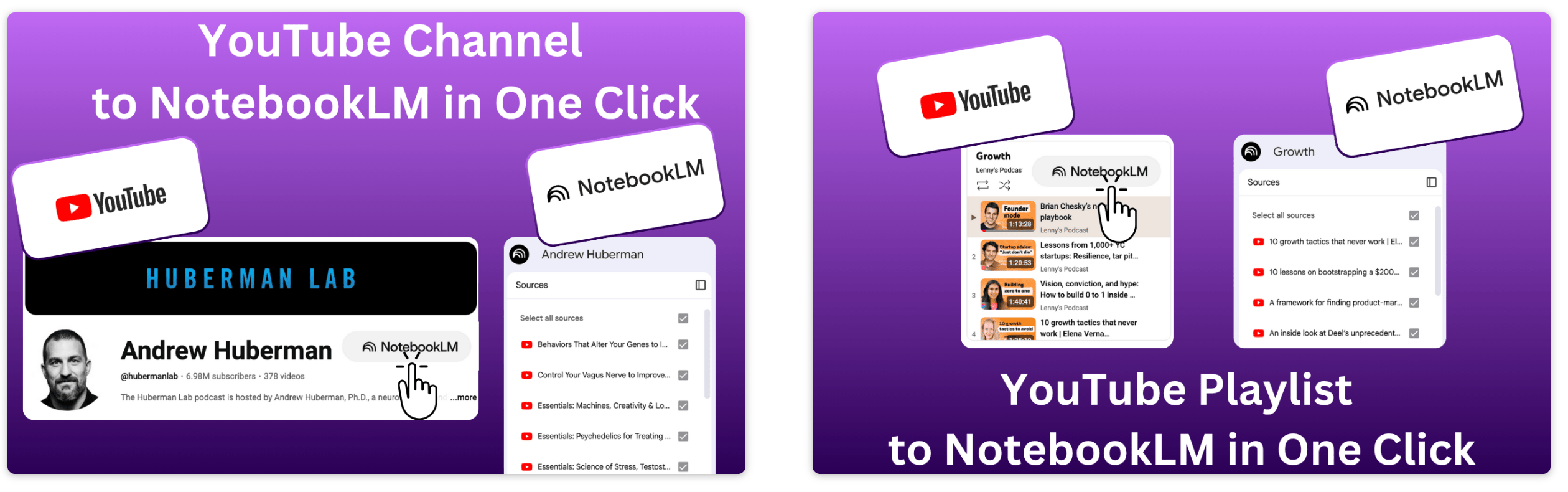
YouTube to NotebookLM is a remarkably useful new Chrome extension that lets you bulk-add any YouTube playlists, channels, or search results into NotebookLM. for AI-powered analysis.
How to use it: Install the free Chrome extension. Then navigate to a YouTube channel or playlist of interest, or even a YouTube search result. Click the bookmarklet you’ve installed in your browser to import the entire batch of videos into a new or existing NotebookLM notebook. (The free version of NotebookLM allows a maximum of 50 sources in a notebook).
What I tested: I pulled in 80 of my own YouTube channel videos into a new notebook with one click. I was surprised at how quick and easy it was. I immediately started analyzing the video collection and generating a report.


What to try
Find or create YouTube playlists on topics of interest. Then use this extension to ingest those playlists into NotebookLM. The videos are automatically indexed, and within minutes you can create reports, slides, and infographics to enhance your learning.
Summarize a playlist or channel with an audio or video overview. Or create quizzes, flash cards, data tables, or mind maps to explore a batch of YouTube videos. Or have a chat in NotebookLM with your favorite video channel. Check my recent post for some YouTube channels to try.
Sponsored Message

Build High-Converting Landing Pages in Minutes — Powered by Crowdstake
Have an idea, side project, or product to launch? Crowdstake uses AI to generate a complete landing page — copy, layout, waitlists, and experiments included. No design, no dev, no guesswork.
Agenda Hero: Add Anything to Your Calendar
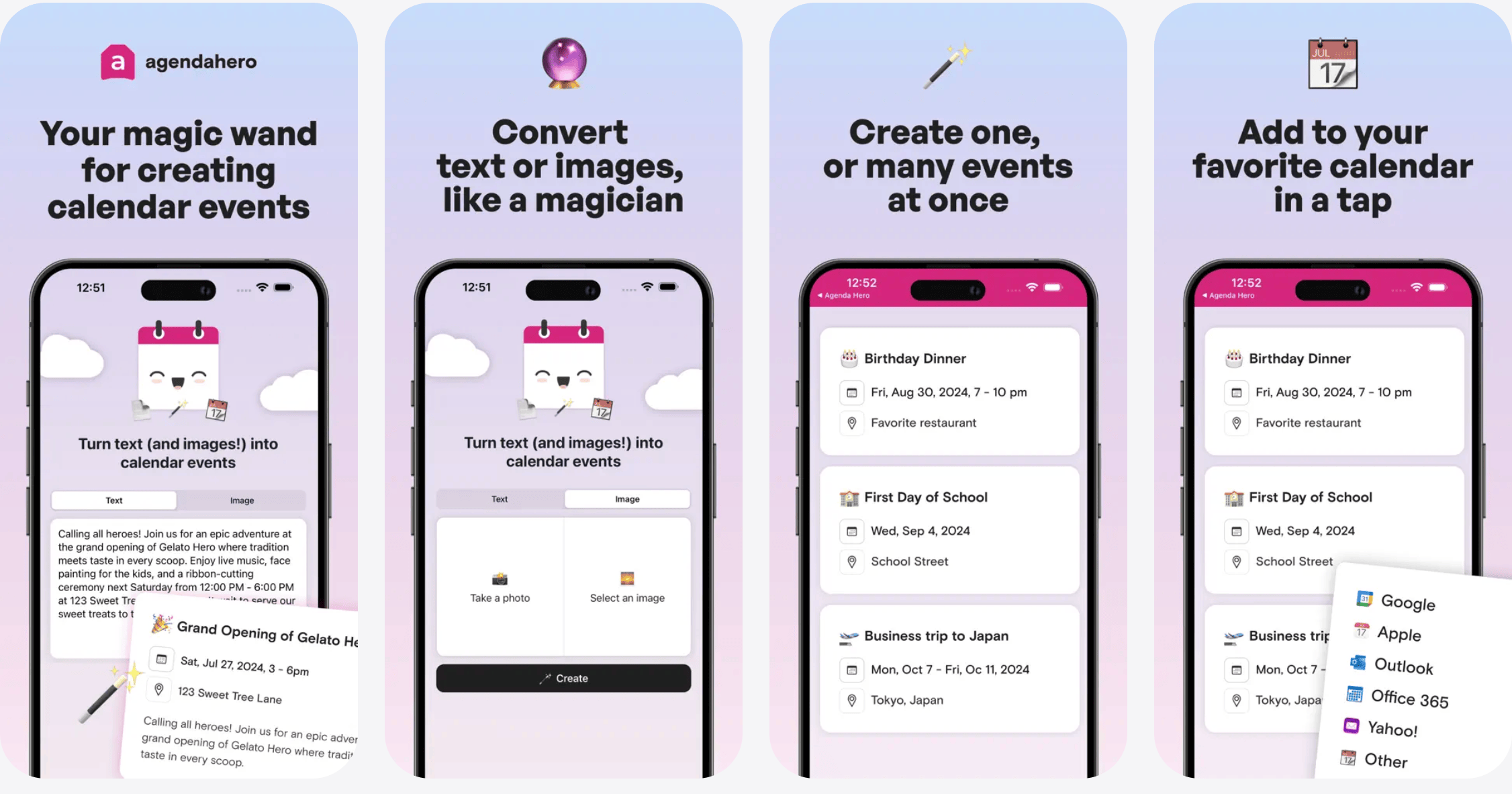
Ever get a flyer with upcoming events, or a sports schedule, or a list of upcoming meetings, and face the tedious task of manually adding each event to your calendar? Agenda Hero solves this pain point delightfully.
What it does
Scans physical or digital event lists and adds them to your calendar
Works with photos, PDFs, scans, emails, or pasted text
Works with calendars from Google, Apple, or Outlook, or Office 365
Use the Chrome Extension to clip event dates and times from the Web or use the free iOS or Android app to add events from your phone.
Capture schedules from school handouts, work training dates, or concert listings.
How it saves time: Instead of spending 10-20 minutes adding events one by one, snap a photo or upload a document. Agenda Hero extracts the events and lets you add them in bulk to your calendar.
Real-world example: My daughter and I like going to occasional Columbia Women’s Basketball team games. So we took a picture of their schedule card. Agenda Hero quickly imported all the dates. Now they’re on my calendar instead of on a piece of paper in a drawer. You can share a link to your event list, like this one I created for the upcoming home games.
Bonus features
Create and share a customized event page for your group
Use AI chat to batch edit a bunch of events
Pricing: Free for most features, or $30/annually for unlimited AI edits and custom URLs and colors for your shared pages.
Credit for pointing me to Agenda Hero goes to my friend JR Raphael’s excellent Cool Tools newsletter, part of The Intelligence. He spotlighted it as a favorite tool of 2025.
Happenstance — Stretch your network

Find people in your networks using AI. I connected my LinkedIn and have already started using it to search for friends of friends.When I searched for new tennis fans in my network, it scanned the interests of my contacts as well as 25,000+ friends of friends to show me a bunch of people to consider reaching out to. (By the way, I’m looking for tennis partners in NYC 🎾, so reply if you are too). Sports aside, it works well if you’re looking for professional contacts in a particular place with certain skills, background, or knowledge.
Pricing: Free for unlimited connected accounts, unlimited groups, and searching. $24/month billed annually for unlimited searches and other pro features.
What’s new in your toolkit?
Share a new tool you’re exploring by leaving a comment below.
Jeremy: thanks ever so much for that. The YouTube connection to Notebook is genius. I've already created some content that summarises my channel. I'll share it in a post next week. Saved me hours of work, looks good, and is only using my work as a source: so it's trustworthy and accurate.
always looking for tennis partners in NYC too! great rec