
🖌️ Create Visuals that Grab Attention
Try Whorl and Flux 3 for compelling images and video clips

A MESSAGE FROM OUR SPONSOR
This paid post was made free for you by Granola, the AI notepad for back-to-back meetings. Upgrade to an annual paid Wonder Tools subscription to claim 4 months free on Granola’s business plan (10 seats, $560 in value).

Whenever I write Wonder Tools, I fuss over how best to add visual variety. I do that so you, dear reader, aren’t bored by thick walls of text. (I halved the length of this post for the same reason).
Distinct images grab attention. That’s why I’m sharing Whorl and Flux 3, new tools that make it easy to create and customize unique imagery.
I’m Jeremy, by the way, and I’ve produced this weekly missive a few hundred times, rain or shine, with my own brain and hands. I’ve never been a designer, though, nor do I have technical skills. I’m a journalist and educator. But I like playing with 3D graphics and experimenting with short videos. I’m including examples below so you can see how these tools work and what you can do with them.
Let’s make this interactive: add a comment to share one of your own use cases, or a tool you like for making visuals.👇
Whorl 🖌️ Create Moving Graphics

Make designs with moving 3D shapes for posters, social media graphics, sites, or whatever else you’re designing. In an email thread founder and designer Remon Tijssen told me he spent years on this new Whorl web app. It’s full of features his original iOS app lacked.
Customization: Start with a template or a blank slate. Add text if you want. Adjust your design’s aspect ratio, color palette, shapes, and 3D effects. Play with dozens of other knobs and sliders to come up with a visual that’s wholly your own. Here’s a short video showing the creation process.👇
What I like: To me, this is a fun graphic resource for experimenting with different looks. The customization options make it easy to dream up something unique. Rather than just typing in a prompt, you’re actually moving things around on the canvas, making your own digital art. Here are a few more examples of designs made with Whorl. For now I’m making experimental art with Whorl, and developing kinetic text graphics to spice up my teaching slides.
Pricing: Free with watermarks. $5/month or $80/year for more features. For higher resolution exports and other pro capabilities, it’s $180/year. (Use WONDER30 for 30% off your first year). To skip the waitlist, go straight to design.whorl.app and sign in with a Google account. That gives you a free 7-day trial. No credit card needed to start.

Alternatives
Jitter is a terrific motion design app I wrote about a while back. It has since added AI features. Quickly turn static designs into animated visuals.
HiNOTE is a colorful mobile stationery app with templates like this or this if you just want to send colorful digital cards to friends.
Word Swag has 3D designs for words or phrases to help your text pop. Here’s an example of a graphic I made with it.
Adobe Firefly opens up all sorts of eye-catching possibilities. And its new ChatGPT plug-in lets you just describe what you want, with access to dozens of Adobe design tools.
Canva has a slew of advanced AI features for creating distinct graphics, and it works well as a headquarters if you’re designing multiple projects. (See past posts I’ve written about Canva. I’m working on an updated guide.)
Flux 3 📺 Generate Vivid AI Video Clips
Free through August 16
ChatGPT’s Sora is gone, but other AI-generated video tools keep getting better. Flux 3 is the latest model from Black Forest Labs, an AI research lab based in Freiburg and San Francisco focused on visuals.
How it works: Flux 3 is temporarily free to try for creating short videos. Spin up something for an art project, a presentation, or a story starter for your kids like a magic puddle, dino, or horse. Start with a text prompt or upload images to serve as starting and/or ending frames. Choose a length of up to 20 seconds, an aspect ratio, and whether or not you want audio.
Martin Scorsese signed on as an advisor. “With this tool,” he said, “I can share what I’m visualizing more clearly and efficiently to my creative team—the production designer, art designer, and cinematographer.” (The Art Directors Guild criticized Scorsese’s endorsement of Flux).
Caveats
Don’t search for Flux in the app store. There’s no official app, and lots of imitators use Flux in their name or description. To use Flux, go to the actual Black Forest Labs site. Or use the Flux image generation model through a legitimate platform partner like Adobe Firefly or ElevenLabs.
Demand has been so high during the free period (through August 16) that this weekend you may have to wait a while for your video to be generated. Pricing for creating high-quality videos with Flux starts at $0.17 per second of finished video once the free period ends.
Alternative
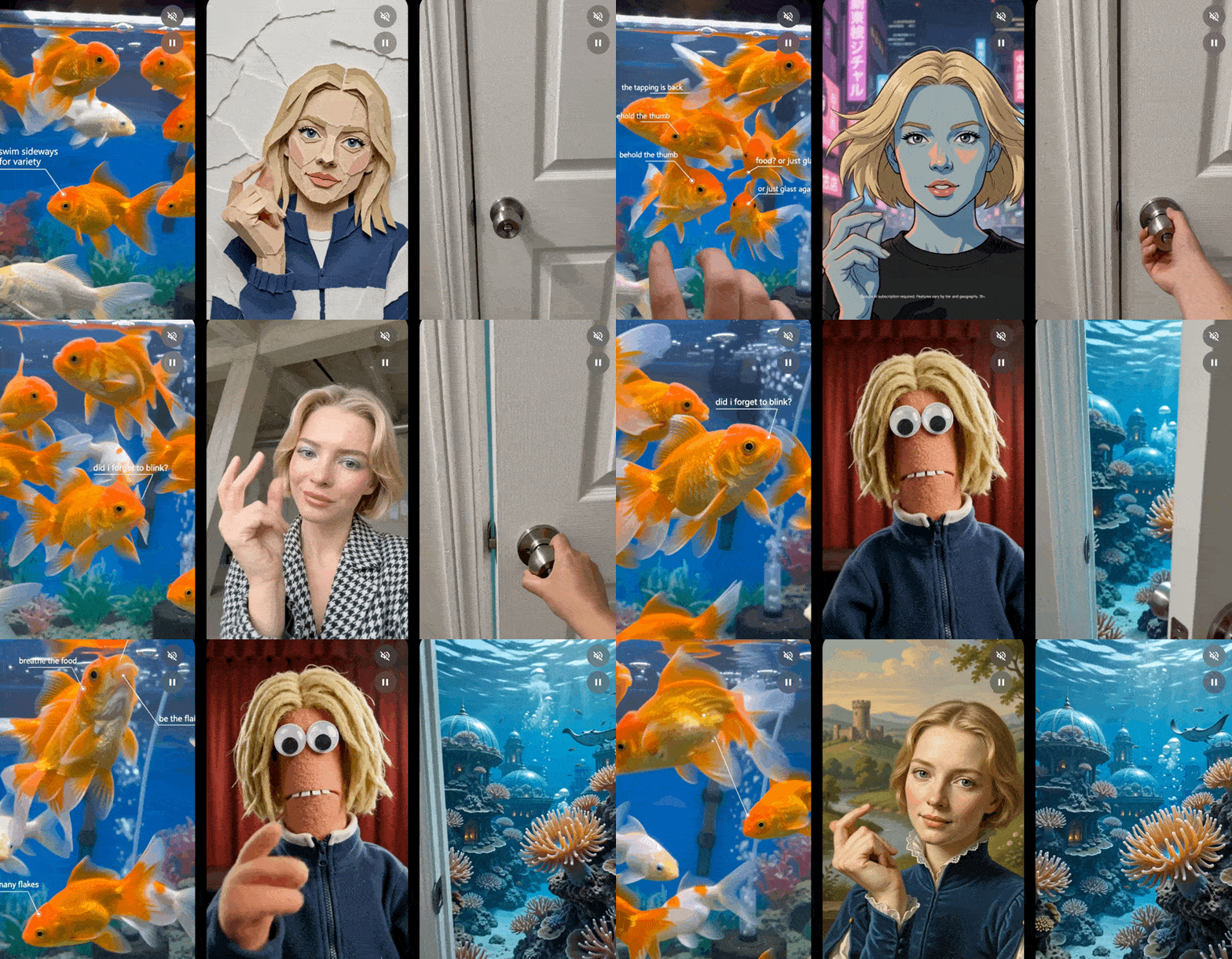
Google’s Gemini Omni is a good option if you already have a paid Gemini plan. You get 33 templates to start with (screenshot). That helps if, like me, you sometimes have no idea what to make. Expect to wait a few minutes for each result. The quality of the rendered videos keeps improving. I’m wary of the avatar videos Omni enables replacing personal messages, but Omni’s other capabilities are useful for artistic experimentation.
Want more to explore? Check out a prior post about cool tools 👇
✨ 5 New Tools Worth Trying

2026 is already overflowing with new and improved sites and services. Here are five I’ve tested and found particularly useful.
What’s fresh in your toolkit?
Share a visual tool you’re exploring. Leave a comment below. ⬇️
I would recommend Affinity. The Open Source alternative to Photoshop